For New Zealand players who enjoy gaming on the go, the view here mobile app offers direct access to pokies, table games, and live dealer tables from a smartphone or tablet. The app reflects the desktop experience while using touch controls, push notifications, and device-level security. Instead of logging in through a mobile browser each time, users start the app with a single tap and continue where they left off. This guide addresses device compatibility, installation, account security, payments, performance, and common troubleshooting scenarios for the Trino Casino app in New Zealand.
What Trino Casino Mobile App Offers
The Trino Casino app is not a simplified version of the website. It holds the same game catalogue, account tools, and promotional offers but restructures them for a vertical screen and finger-friendly navigation. The lobby utilizes large thumbnails and a bottom navigation bar that switches between pokies, live casino, promotions, and the cashier without long menus. Search filters and a favourites system help players return to frequently played titles, and the app remembers recent sessions so repeat visits load faster in the app on most modern handsets. The layout stays consistent across screen sizes.
Gaming Library on Mobile
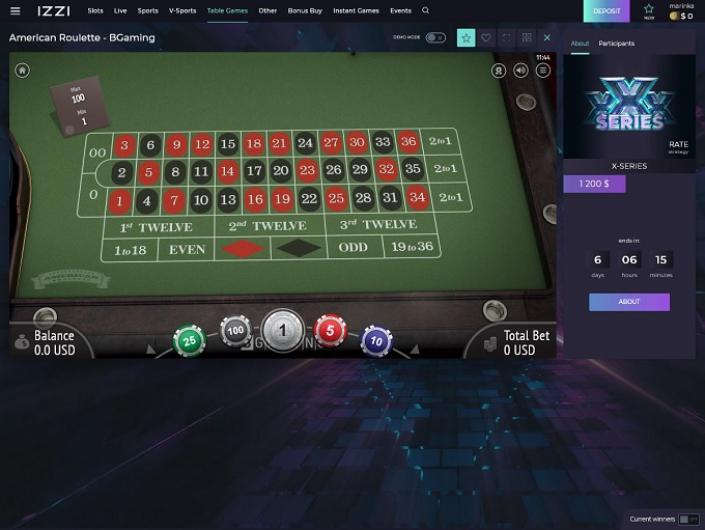
The mobile app offers the same portfolio as the desktop site, including video pokies, progressive jackpots, blackjack, roulette, baccarat, and video poker. Games open in HTML5, so no additional downloads or plugins are required. Portrait mode is the default, but many table games and live dealer streams rotate into landscape for a wider view of the felt. The search bar takes partial titles, and a provider filter reduces the lobby to a single studio’s collection in seconds. Players can also set favourites for quicker access from the main screen. This keeps repeat play simple.
Processing Payments and Withdrawals on Mobile
The in-app cashier delivers the same range of deposit and withdrawal methods available on the desktop site, tailored for a mobile-friendly layout. Players can credit their account using credit and debit cards, bank transfers, e-wallets, prepaid vouchers, and local New Zealand options such as POLi. The minimum deposit amount is shown on the cashier screen before the transaction is confirmed, and most deposits are completed instantly, allowing the player to go straight from the cashier to the game lobby. Withdrawals follow a structured flow that prompts the user to pick a method corresponding to a previous deposit where possible.
Funding with POLi
POLi is a widely used online banking payment method in New Zealand, and the Trino Casino app includes it directly into the deposit flow. When a player picks POLi, the app loads a secure browser window that links to the player’s bank. After logging in and approving the payment, the funds appear in the casino balance within seconds. POLi does not demand the player to share card details with the casino, which suits those who prefer to keep their banking information separate. The service is available for most major New Zealand banks.
Payout Processing Times
- E-wallets: usually processed within 0–24 hours after approval.
- Credit and debit cards: 2–5 business days, depending on the card issuer.
- Bank transfers: 3–7 business days, with possible delays on weekends and public holidays.
- Pending period: all withdrawal requests go through an internal review that commonly takes under 24 hours.
Registration, Login, and Security
New players can register a Trino Casino account fully within the app. The sign-up form collects standard details such as full name, date of birth, address, email, and mobile number. Because the app is intended for a New Zealand audience, the registration flow automatically sets the country to New Zealand and the currency to NZD, although players should verify this on the first screen. The app uses the same secure socket layer encryption as the desktop site, and all personal data is transmitted in encrypted form. Previous players can log in with email and password or use biometric authentication.
Two-Step Verification
Trino Casino urges players to enable two-factor authentication for an additional layer of account protection. When 2FA is enabled, logging in from a new device requires a one-time code generated by an authenticator app or sent via SMS. The setup wizard inside the app leads users through linking their preferred authenticator, and recovery codes are given in case the primary method becomes inaccessible. This feature is highly valuable for anyone who holds a balance in their casino wallet and wants to minimise the risk of unauthorised access. A four-digit PIN can also serve as a fallback.
Compatible Devices and Operating System Requirements
iOS Requirements
For Apple users, the Trino Casino app requires iOS 14.0 or later. It is supported with iPhone models beginning with the iPhone 6s and all versions of the iPhone SE, as well as iPad Air 2 and newer, iPad mini 4 and beyond, and any iPad Pro. The app is designed for full-screen displays on modern iPhones, so there are no black bars or bad scaling. On iPads, the layout adjusts to use the larger canvas without stretching phone-sized elements. Face ID and Touch ID are enabled on devices that include those sensors.
Android Requirements
On the Android side, the app requires version 8.0 (Oreo) or above. It runs on handsets and tablets from major manufacturers including Samsung, Google Pixel, OnePlus, Oppo, and Huawei devices that still have support to Google Play Services. Screen sizes from approximately 5 inches and up are well supported, and the interface adapts correctly on foldable phones when moving between folded and unfolded states. Because the app is distributed as an APK file directly from the Trino Casino website, players must ensure their device allows installation from unknown sources before beginning setup.
How to Install and Install the App
Android Installation
Android users in New Zealand won’t see the Trino Casino app on the Google Play Store since Google blocks real-money gambling applications. The installation file must be obtained straight from the official Trino Casino website. This process, often called sideloading, is secure provided the APK is sourced from the genuine domain and not a third-party mirror. Before downloading, players have to permit their browser or file manager to install unknown apps. The exact menu path varies by manufacturer, but the permission can typically be located under Settings > Security or Settings > Apps > Special access.
- Navigate to the official Trino Casino website from the mobile browser and open the app page.
- Click on the “Download for Android” button and wait for the APK file to complete downloading.
- Access the notification or the Downloads folder and click on the APK file.
- If prompted, acknowledge that you consider safe the source and desire to install the application.
- Once installation is done, click “Open” to launch the app and sign in or create an account.
Installing on iOS
Apple’s App Store policies permit licensed casino applications in New Zealand, therefore the Trino Casino app can be installed right from the App Store without workarounds. The simplest method involves go to the Trino Casino website on the iPhone or iPad, click the iOS download link, and have the page take you to the App Store listing. Alternatively, players may open the App Store, find “Trino Casino,” and confirm the developer name before downloading. The app is free, needs no subscription, and updates automatically through the App Store when new versions are released.
Data Usage and Issue Resolution
The Trino Casino app is built to operate smoothly across a variety of network environments, from fibre-backed home Wi‑Fi to 4G and 5G mobile data networks in urban and rural New Zealand. On a normal 4G connection, the lobby opens in a few seconds, and pokies begin within five to ten seconds, depending on the game’s difficulty. Live dealer streams consume more bandwidth, similar to watching a high-definition video, so players on capped data plans may want to check usage or move to Wi‑Fi for extended live casino sessions. The settings menu includes a low data mode toggle.
Common Error Messages and Solutions
Most technical problems have easy fixes. If the app fails to install, the APK may be corrupted or incompatible, so players should remove the file, clear the browser cache, and get a fresh copy from the official site. If a game does not to load, moving between Wi‑Fi and mobile data can exclude a network block. Emptying the app cache from the device settings often fixes persistent loading issues. A login loop after an update usually disappears after removing the app, restarting the device, and setting up the latest version in most cases.
- “App not installed” on Android: erase the APK, clear the browser cache, and get a fresh copy from the official site.
- “Unable to verify app” on iOS: enable “Set Automatically” in Date & Time settings and try again.
- Game fails to load: move between Wi‑Fi and mobile data, then clear the app cache.
- Login loop after update: remove the app, restart the device, and set up the latest version.
FAQ
Can the Trino Casino app offered for any New Zealand players?
Indeed, the app is available for all those in New Zealand who satisfies the legal gambling age and owns a compatible device. Users must be physically located in New Zealand when putting real-money wagers, as the app relies on geolocation checks to meet licensing rules. A stable internet connection and a verified Trino Casino account are the exclusive other requirements.
Does the app handle New Zealand dollars?
Yes. The Trino Casino app defaults to NZD for players creating accounts from New Zealand. Funds, wagers, and withdrawals are all processed in New Zealand dollars, so there are no currency conversion fees when employing local payment methods. Members should verify that NZD is selected during account creation to avert any accidental currency mismatch.
Does a player employ the same account on the app and the desktop site?
Absolutely, a single Trino Casino account functions across all platforms. Balances, bonus progress, and game history sync in real time, so a player can initiate a session on a computer and carry on on a phone without interruption. Login credentials, two-factor authentication settings, and responsible gambling limits persist consistent regardless of the device used to access the account.
How should a player manage if the app freezes during a game round?
If the app freezes, the game round is not lost. The random number generator result is established on the server the moment the spin or hand is started. Reopening the app and navigating back to the same game will recover the session and present the outcome. If the issue persists, clearing the app cache or reinstalling typically resolves it.
Does the app secure to utilize on public Wi‑Fi?
The app encrypts all data between the device and Trino Casino’s servers, so account details and payment information remain protected even on open networks. However, public Wi‑Fi can be unstable and may introduce latency during live dealer games. For the best experience and an extra layer of caution, a password-protected private network or mobile data is advised.